Interface tour
In this section, we will explore each panel of Pulser Studio, clarify its purpose and how to interact with it.
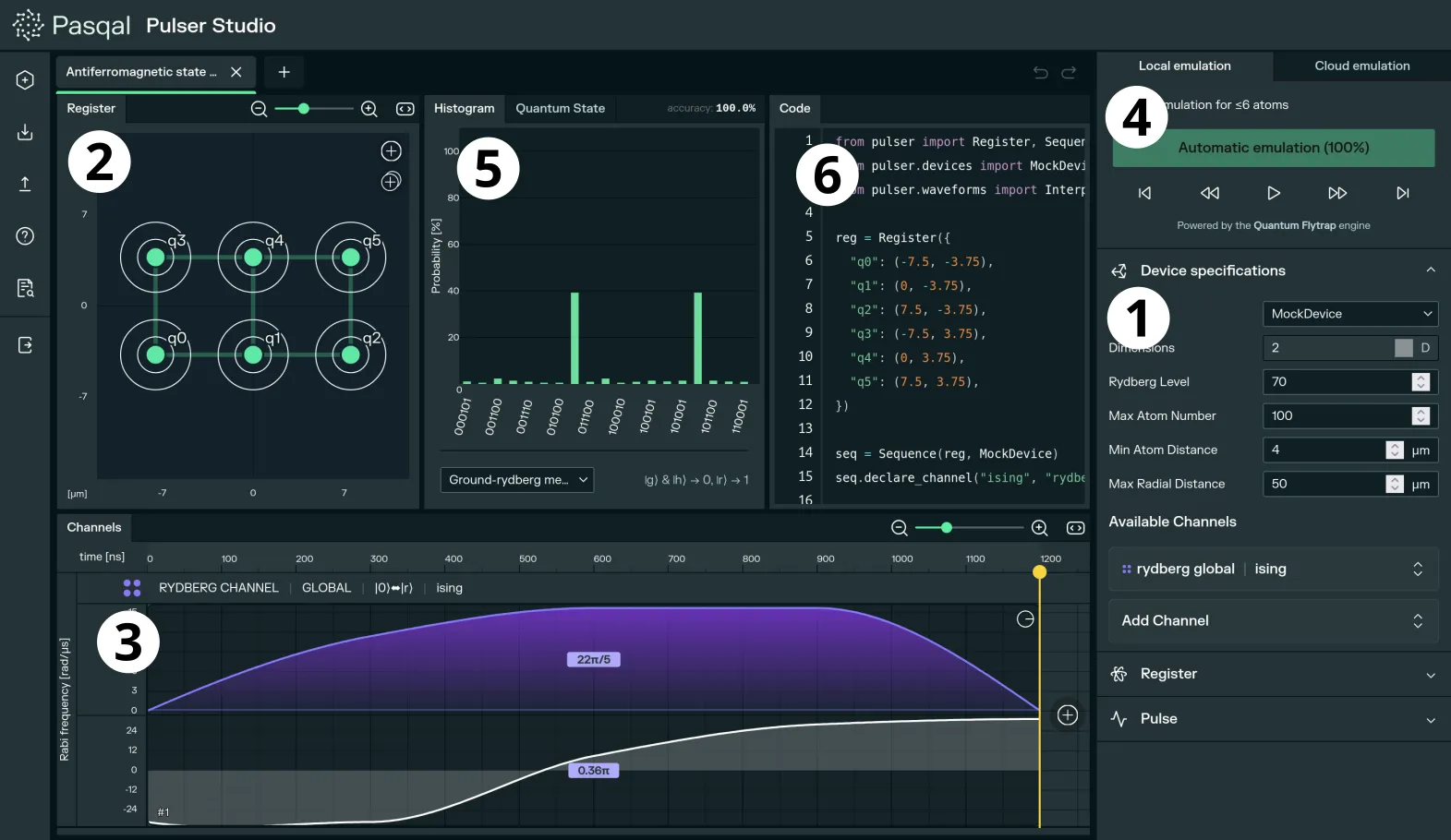
1. The device specificationsCharacteristics of the device on which the quantum program is run.
2. The quantum registerInteractive visualization of the actual neutral atom qubits configuration.
3. The pulse sequenceInteractive timeline view of the laser pulses shot at the atoms.
4. The emulation controlsControls for local or cloud-based emulation of the quantum program.
5. The emulation resultsVarious ways of displaying the program results.
6. The Pulser codeAuto-generated code for the Pulser library.